
A Weekly Planner Built for ADHD Brains
Standard planners assume you can guess how long a job takes and begin on command. This planner starts where real weeks break down: getting loose tasks out of your head, splitting big jobs into steps under 15 minutes, testing your time guesses against real time, and putting fixed events in grey before anything else goes on the week.
Use the visual shrinking-disc timer to make time visible while you work, add a first tiny step to every card, run through a six-step weekly reset, and print a clean one-page sheet to keep on your desk or fridge.
Build Your ADHD Week
Dump tasks, check your time pattern, place cards onto realistic blocks, then print one calm page.
1. Brain dump
Type everything swirling in your head, one item per line. Each line becomes a card you can tag, shrink and place.
2. The week
Put fixed events (work, appointments) in grey first. Then tap a task card and tap a block to place it, or drag on desktop.
3. Guess, then check (time blindness)
Compare what you guessed against what it really took. Your own real numbers build a fair buffer for future blocks.
Time one or two tasks to see your own pattern. Until then, you can test a 1.3x starter buffer.
4. Visible time: Now timer
Watch the coloured disc shrink while you work. Tap Done to log the real minutes straight onto your task card.
5. Weekly reset checklist
Spend 15 minutes once a week resetting your calendar, tasks and physical home base.
For professionals: skills framework, evidence and limits
What skills programmes teach: Structured skills programmes for adult ADHD focus on externalising memory and time. Common skills include keeping one capture list, placing calendar commitments before to-do items, breaking large tasks into steps under 15 minutes, testing time estimates against real clock time to build buffers, using visible timers, setting transition reminders, holding a weekly planning session, and resetting a physical home base for keys, wallet, phone and charger.
Research summary: Randomised trials of cognitive behavioural skills programmes and meta-cognitive skills groups for adults with ADHD (Safren et al., 2010; Solanto et al., 2010) reported better symptom improvement when planning, time management and organisation skills were practised, often alongside medication. See the research section below for study details and full citations.
Scope and screening: This page is a self-guided skills worksheet, not therapy or medical care, and it gives no assessment result. For an adult ADHD self-report screening questionnaire to review in a clinical conversation, see our Adult ADHD Test (ASRS v1.1).
neuroviaxacademy.com/tools/adhd-weekly-planner.html
Your One-Page ADHD Weekly Plan
Keep this single page where you can see it. Fixed events appear in grey, your three must-dos sit at the top, and your weekly reset sits at the bottom.
Top 3 Must-Dos This Week
Time Pattern & Buffer
| Block | Mon | Tue | Wed | Thu | Fri | Sat | Sun |
|---|
Weekly Reset Checklist
Your Guess vs Real Time Chart
Cite this planner
Neuroviax Academy. (2026). ADHD weekly planner: Free printable for time blindness [Online tool]. https://neuroviaxacademy.com/tools/adhd-weekly-planner.html
Why an ADHD Weekly Planner Works Differently
Most weekly planners are built for people who can sense how long a chore will take, remember what they wrote down yesterday, and start a large project without stalling. When you live with ADHD, those quiet assumptions are often the exact places where a week falls apart. This free ADHD weekly planner strips away clutter and focuses on four practical skills: emptying your head into one capture list, testing your time guesses against real clock time, keeping fixed commitments visible before adding tasks, and lowering the barrier to starting.
Time blindness, starting and switching
Three everyday hurdles tend to trip up adult planning with ADHD. The first is time blindness, which feels like living in only two time zones: now and not now. A job that looks like 20 minutes on paper quietly takes 45 minutes once you open the laptop, find the login and answer a message along the way. The second hurdle is starting. A big, vague item like "do taxes" or "clean kitchen" creates a wall of friction, so your brain reaches for something easier. The third hurdle is switching. Moving from one activity to another, packing your bag or changing gears after a meeting all take real minutes that standard schedules forget to count. Naming these hurdles calmly helps you plan around them instead of blaming willpower.
How to use this planner step by step
Start in the brain dump box and write every loose task on its own line without trying to sort it yet. Turn those lines into cards, then give each card a tag of Must, Should or Could. Try to keep Must tasks to three for the entire week so your attention has a clear anchor. Next, pick a size for each card. Whenever a task is marked Longer than an hour, use the built-in step editor to split it into steps under 15 minutes, and write a first tiny step on every card, such as opening the blank document or putting the laundry basket by the bed.
Before placing any tasks, add your fixed events (work shifts, classes, medical appointments, school runs) in grey. Fixed events show the real space you actually have left. Then tap a task card and tap a morning, afternoon or evening block (or switch to hourly slots) to place it. Watch the fullness bar in each block: green means room to spare, amber means nearly full, and orange warns you that the block is over-full once your buffer is counted.
Guess, then check: building a real time buffer
Instead of hoping your estimates improve on their own, turn them into a simple experiment. On each card, type how many minutes you think the task will take. After you finish it, log how many minutes it really took, either by hand or by tapping Done in the built-in timer. The live bar chart compares your guess against reality and works out your personal buffer factor, for example showing that you usually need 1.6 times your first guess. Turn on that buffer for your week grid and the planner automatically scales future blocks so one slow morning does not wreck the rest of the day.
Making time visible
Time is easy to lose when it stays invisible inside a phone notification. The Now timer on this page draws your current task as a large coloured disc that shrinks as minutes pass, paired directly with your first tiny step. Seeing the remaining slice shrink gives your eyes a concrete sense of time moving. Even working for one 10-minute slice breaks the freeze and gives you real data for your guess-and-check chart. For more ideas on externalising time, read our guide to ADHD time management strategies.
A weekly reset routine
A planner only works when you return to it. Set aside 15 minutes once a week, such as Sunday afternoon, to run through the six-step weekly reset checklist: look at your calendar and put fixed events in grey, do a fresh brain dump, pick up to three must-dos, turn on your time buffer, set phone alarms at key transition times, and reset your home base so your keys, wallet, phone and charger sit in one reliable spot.
Paper vs app: keeping your week in sight
Digital apps are handy for moving cards around and calculating buffers, yet an app hidden on page three of your phone is easy to forget until Thursday. Paper has one big advantage: it stays open in front of your eyes without pings or pop-ups. Many adults get the best results by drafting their week here, then printing the single-page sheet and taping it beside their desk or on the fridge.
What research shows about ADHD planning skills
Skills programmes for adults with ADHD that teach planning, time management and organisation helped in trials, often alongside medication. In a randomised controlled trial by Safren et al. (2010) with 86 medication-treated adults who still had persistent symptoms, 12 individual sessions of cognitive behavioural therapy produced lower symptom ratings and more people improving than relaxation with educational support. In another randomised trial by Solanto et al. (2010) with 88 adults, a 12-week group teaching time management, organisation and planning skills led to greater improvement in inattention symptoms than supportive therapy. This planner practises those practical skills; it is not medical care and does not replace a clinician. If you are wondering whether your attention and time difficulties are worth discussing with a doctor, you can also review our educational Adult ADHD Test (ASRS v1.1) self-report screen.
Frequently Asked Questions
What makes an ADHD weekly planner different from a standard planner?
What is time blindness and how does guess then check help?
Why does the planner suggest only three must-do tasks for the week?
What should I do with a task that takes longer than an hour?
Can I print this ADHD weekly planner on one page?
Does this planner test for ADHD or replace a clinician?
Is my weekly plan saved online?
Sources and credits
- Safren, S. A., Sprich, S., Mimiaga, M. J., Surman, C., Knouse, L., Groves, M., & Otto, M. W. (2010). Cognitive behavioral therapy vs relaxation with educational support for medication-treated adults with ADHD and persistent symptoms: A randomized controlled trial. JAMA, 304(8), 875-880. https://doi.org/10.1001/jama.2010.1192
- Solanto, M. V., Marks, D. J., Wasserstein, J., Mitchell, K., Abikoff, H., Alvir, J. M., & Kofman, M. D. (2010). Efficacy of meta-cognitive therapy for adult ADHD. American Journal of Psychiatry, 167(8), 958-968. https://doi.org/10.1176/appi.ajp.2009.09081123
Credits: The interactive planner layout, time-buffer chart and visual timer on this page are original to Neuroviax Academy, informed by adult ADHD planning and organisation skills taught in clinical research.
This page is an educational planning worksheet. It does not provide therapy, clinical assessment or medical care.
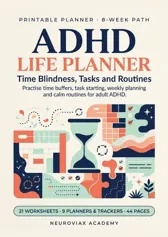
Go further: the printable ADHD Life Planner
A planner with weekly and daily pages, a guess-and-check time log, a task splitter, a home-base reset and a restart page for lost weeks, in A4 and US Letter. Look inside before you decide.
See what is insideOr save 37% with the ADHD Life Pack: 3 workbooks for $9.99 instead of $15.97.